Table of Contents
- AI is Still Garbage at Complex Reasoning, But Here's How to Make It Work
- The Real Problem: Cognitive Bottleneck
- The Actual Process: Where AI Failed and Succeeded
- 💡 Pro Tip
- The Systems-Level Shift: From Player to Coach
- Where AI Still Sucks (And How to Work Around It)
- The Cursor-Specific Advantages
- The Paradigm Shift: Manager Mindset
- Actionable Takeaways
- 1. Start with Context
- 2. Use the Rule System
- 3. Break Down Complex Problems
- 4. Review and Validate
- 5. Focus on Patterns
- The Reality Check
- The Future
Warning: This article contains actual technical insights, not AI hype. If you're looking for "AI will solve everything" content, look elsewhere.
AI is Still Garbage at Complex Reasoning, But Here's How to Make It Work
It's 4:57 AM on a Sunday. My brain won't shut off because I'm obsessing over rewriting my 10-year-old iOS app. I'm a new father with maybe 4 hours of focused time per day (on top of my 8 hour work day), and I need to modernize Remote Shutter from Storyboards to SwiftUI. For context, Remote Shutter is a camera app that lets you control your iPhone's camera remotely via Multipeer Connectivity - essentially turning your iPhone into a wireless camera that can stream video to other devices.
Here's the brutal truth: AI is still terrible at understanding complex codebases, but I figured out how to make it work. This isn't another "AI is amazing" fluff piece. This is the real story of where AI fails, where it succeeds, and how to actually leverage it for 10x productivity gains.
The Real Problem: Cognitive Bottleneck
I've been coding for 15+ years, from embedded systems to distributed architectures. The fundamental limitation has always been the same: I can only think about one complex problem at a time. When I'm architecting a new feature, I can't simultaneously write boilerplate code, handle edge cases, and maintain consistent patterns.
AI changes this equation, but not in the way most people think.
The Actual Process: Where AI Failed and Succeeded
The Initial Prompt (That Failed)
I started with Claude 4.5 and this prompt:
I want to rewrite @MonitorViewController entirely in SwiftUI, preserve all existing functionality but modernize the look and feel using the latest Apple design guidelines.

You'll have to modify the @MainPeer.storyboard to point to the new SwiftUI view.

Preserve localizations, and all existing functionality.

Do not dive heads first, first tell me what you think about this feature, then produce a plan, and WHEN APPROVED, then execute the plan.
What happened: Claude gave me a generic MVVM implementation that didn't compile and completely missed the existing architecture. It generated 300 lines of broken code.
Why it failed: AI did not have the right rules to succeed, by default, Claude wont think about compiling the code, it will just generate stuff then use a very light linter to check for errors.
💡 Pro Tip
Always ask AI to produce a plan, and then ask it to execute the plan.
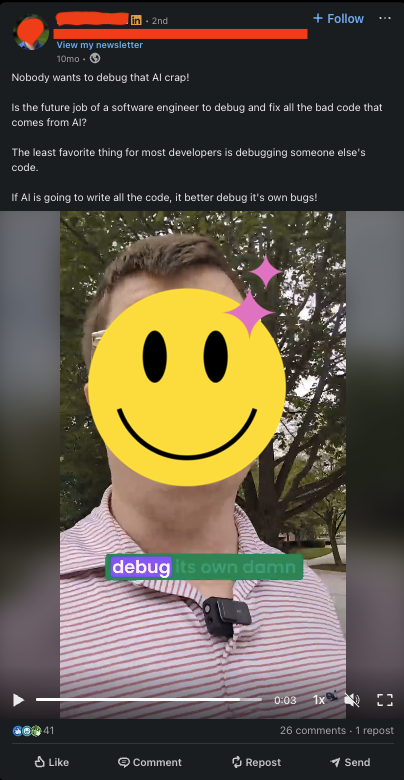
Else it will poop all over your codebase, and you'll end up writing one of those bitter LinkedIn posts talking about how AI is a scam.
The Real Conversation (That Worked)
After the first failure, I restructured the approach:
Claude, here's the current MonitorViewController architecture:
- Uses MVVM pattern
- Handles video streaming via Apple Multipeer Connectivity
- Manages connection state via the [Theater actor framework](https://github.com/darioalessandro/Theater)

Can you analyze this and propose a SwiftUI migration strategy that preserves the existing patterns?

Always compile and test code before sending it to me. If there are compilation errors, fix them first. Never send uncompilable code.
What happened: Claude now understood the context and proposed a realistic migration plan.
Why it worked: I gave it the architectural context it needed. AI is garbage at inferring context, but decent at following patterns once you show them.
The Compilation Rule
After getting broken code three times, I added this Cursor rule:
Always compile and test code before sending it to me. If there are compilation errors, fix them first. Never send uncompilable code.Result: Claude now validates its own code before sending it. This alone saved me hours of debugging.
Warning: seems like sometimes Claude will get frustrated and start taking shortcuts just to "overfit" the rule, so you need to be careful with the rules you add, and you need to be careful with the prompts you give it.
The Systems-Level Shift: From Player to Coach
Here's the real insight: AI doesn't make you a better coder. It makes you a better architect.
Before AI:
- I was the player: writing every line of code
- Focused on implementation details
- Could only tackle one problem at a time
- Limited by my typing speed and energy
After AI:
- I'm the coach: designing the plays, delegating execution
- Focused on architectural decisions and patterns
- Can explore multiple approaches simultaneously
- Limited by my ability to think clearly and communicate
The Real Productivity Gains
Time Savings:
- 2 hours of AI collaboration = at least 10 hours of manual coding, and that is 10 good hours, not changing diapers and feeding the baby.
- 600 lines of working SwiftUI code generated
- Only 20 lines of manual fixes needed
Quality Improvements:
- Consistent MVVM patterns across the Monitor side of the app, migrated partially to SwiftUI, but the rest of the app is still in Storyboards.
- Better error handling (AI is actually good at edge cases)
- Modern Apple design guidelines followed
Cognitive Benefits:
- Could think about multiple architectural approaches simultaneously
- Focused on the "what" and "why," not the "how"
- Maintained energy for the hard problems
Where AI Still Sucks (And How to Work Around It)
1. Context Understanding
The Problem: AI has limited understanding of your existing codebase, business logic, or architectural decisions, sure it can scan the codebase, but it will not understand the context, it will not understand the patterns, it will not understand the business logic, yet.
The Workaround: Feed it context explicitly. Show it the existing patterns, explain the business logic, paste relevant code sections.
2. Complex Reasoning
The Problem: AI can't reason about complex interactions between components.
The Workaround: Break complex problems into smaller, well-defined tasks. Let AI handle the implementation, you handle the integration.
3. Edge Cases
The Problem: AI misses subtle edge cases that experienced developers catch.
The Workaround: Always review AI-generated code for edge cases. Use it for the happy path, handle edge cases manually.
4. Context Window Limitations
The Problem: AI forgets previous conversations and context.
The Workaround: Keep conversations focused on single tasks. Restart when context gets too complex.
The Cursor-Specific Advantages
Cursor isn't just another AI editor. Here's what actually matters:
1. Codebase Context
Cursor understands your entire codebase, not just the current file. This is huge for maintaining consistency across projects.
2. Rule System
The compilation rule I mentioned? That's just the start. You can create rules for:
- Code style consistency
- Error handling patterns
- Testing requirements
- Documentation standards
3. Real-Time Collaboration
Cursor's AI can see your changes in real-time and suggest improvements. It's like having a senior developer pair-programming with you.
The Paradigm Shift: Manager Mindset
The biggest change isn't technical—it's psychological. I now think like a manager delegating work:
Before:
- "How do I implement this feature?"
- "What's the best way to structure this code?"
- "How do I handle this edge case?"
After:
- "What's the right architecture for this feature?"
- "What patterns should I establish?"
- "What are the critical decisions I need to make?"
Actionable Takeaways
1. Start with Context
Always give AI the architectural context it needs. Don't assume it understands your codebase.
2. Use the Rule System
Create Cursor rules for common patterns and requirements. This prevents AI from making the same mistakes repeatedly.
3. Break Down Complex Problems
Don't ask AI to solve complex, multi-faceted problems. Break them into smaller, well-defined tasks.
4. Review and Validate
Always review AI-generated code. Use it for implementation, not for critical architectural decisions.
5. Focus on Patterns
AI is good at following patterns but bad at creating them. You establish the patterns, AI implements them.
The Reality Check
AI isn't going to replace developers. It's going to make good developers 10x more productive and bad developers obsolete.
The key is understanding that AI is a tool, not a replacement. It handles the repetitive tasks while you focus on the hard problems. It implements the patterns while you design them.
The Future
This is just the beginning. As AI gets better at understanding context and reasoning about complex systems, the productivity gains will be even more dramatic.
But the fundamental principle remains the same: AI handles implementation, humans handle architecture. AI follows patterns, humans create them.
The developers who thrive in this new world will be the ones who learn to think like architects and managers, not just coders.